Available now
Shopify app by Fixpoint One
FP1 - Postcode Shipping Guard
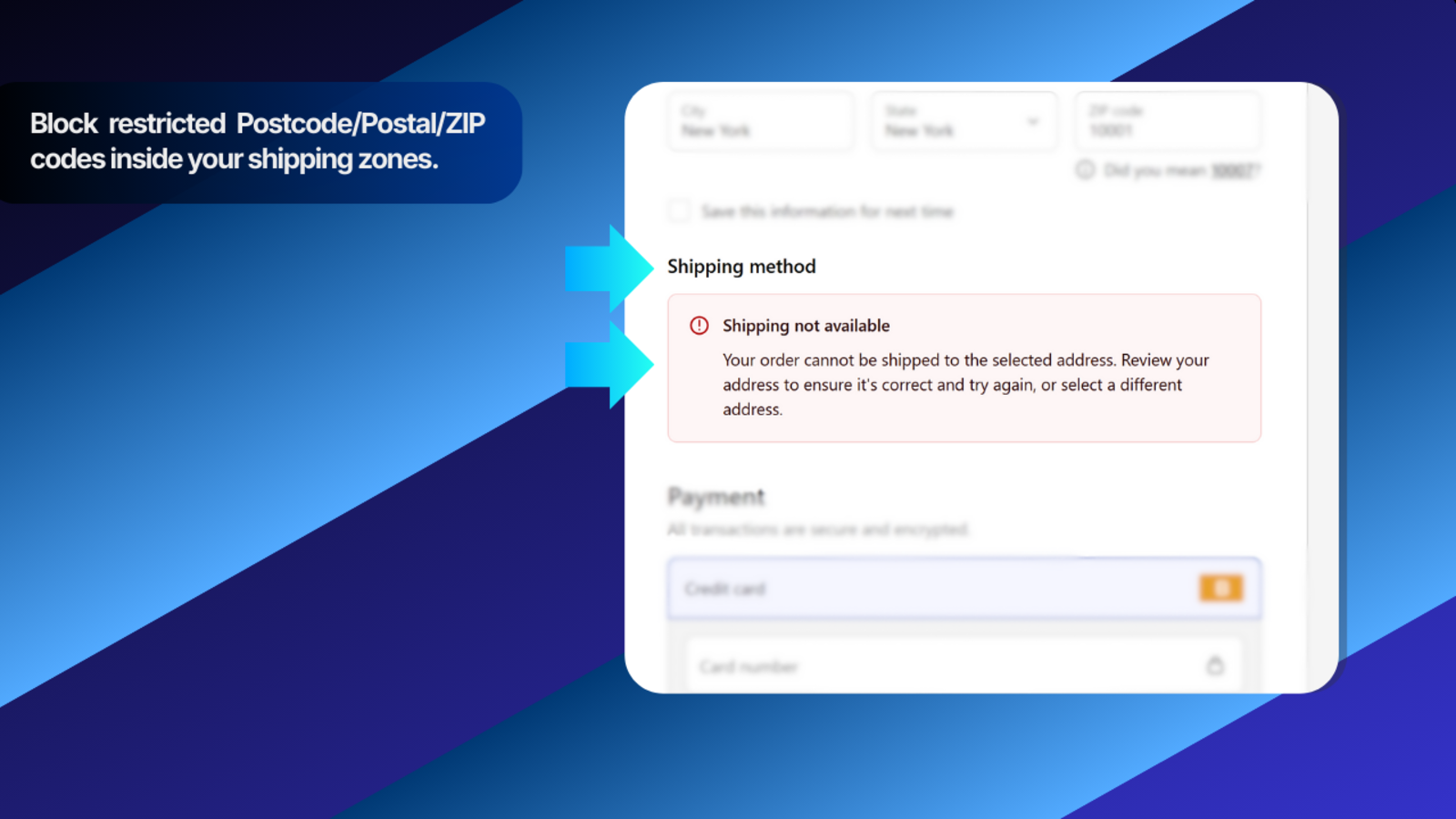
Block checkout for postcode, postal code, or ZIP code areas you cannot serve - without rebuilding your Shopify shipping zones. Add an optional cart warning before checkout.
Best for: Stores that need delivery exclusions inside otherwise allowed shipping zones.
Not for: Blocking entire countries or replacing Shopify shipping zones.
1 active postcode rule freeno time limit • Unlimited $5.99 USD every 30 days • billing starts only if you choose Upgrade to Unlimited in the app
- Direct support
- Clear setup guide
No-code rulesAdd exact codes, prefixes, or ranges
Checkout protectionBlocks restricted destinations
Keep your zonesAdds exceptions inside Shopify
Optional warningSet expectations in cart
How it works
Block specific delivery areas inside your existing shipping zones.
Create exact-code, prefix, or dash-range rules; the app checks the delivery code at checkout.
What it does
- Keeps your Shopify shipping zones and adds postcode, postal code, or ZIP code exceptions inside them.
- Blocks a single code with an exact rule, a wider area with a prefix rule, or a bounded set with a dash range.
- Checks the customer's delivery code at checkout and blocks the order when a rule matches.
- Can show an optional warning in the cart before the customer reaches checkout.
How it works
- Use Shopify shipping zones to define the countries and regions you serve.
- Add the exact codes, prefixes, or dash ranges you cannot serve in the app.
- At checkout, the app compares the entered delivery code with your enabled rules.
- A matching rule prevents checkout until the customer changes the delivery address.
- For the optional cart notice, open Settings, click Add cart notice to theme, then click Save in the Theme Editor. If the shortcut is unavailable, add the app section manually to the Cart template.
How to write rules
- Exact rule: block one full code, such as
SW1A 1AA or 94105.
- Prefix rule: block every code that starts the same way, such as
SW1A*, 941*, or M4B*.
- Dash range: block a bounded set from start to end, such as
4416-4420 or SW1A1AA-SW1A1AZ. Both ends must use the same length and letter/number pattern.
- Shorter prefixes cover larger areas, so test broad rules carefully.
- Spaces and letter case are ignored when codes are compared.
Country filter (optional)
- Leave the country filter unset when your store sells in one country.
- Use it for multi-country stores when the same code pattern could appear in more than one country.
Key benefits
- Block local delivery exceptions without rebuilding your shipping zones.
- Prevent orders from areas your team cannot serve.
- Reduce avoidable cancellations and support tickets.
- Update rules in Shopify Admin without code changes.
Questions before installing
Frequently asked questions
Does this replace Shopify shipping zones?
No. Shopify shipping zones still define the countries and regions you serve. FP1 - Postcode Shipping Guard adds specific postcode, postal code, or ZIP code exceptions inside those allowed zones.
What postcode, postal code, or ZIP code formats are supported?
You can block a full code, use a prefix followed by an asterisk, or enter a dash range. Examples include 4416-4420 for numeric codes and SW1A1AA-SW1A1AZ for alphanumeric codes. Range endpoints must use the same length and letter/number pattern. Spaces and letter case are ignored.
Does checkout blocking require theme changes?
No. Checkout blocking does not require theme edits. For the optional cart notice, open PSG Settings, click Add cart notice to theme, then click Save in the Theme Editor. If the shortcut is unavailable, add the PSG app section manually to the Cart template.
Do you store customer addresses?
No. The app checks the entered postcode, postal code, or ZIP code against your rules. It stores your shop rules, not customer addresses.
Does PSG work with subscriptions, pre-orders, or Try Before You Buy?
Shopify currently lists Delivery Customization Functions as unsupported for recurring subscription orders, pre-orders, and Try Before You Buy. PSG uses Shopify's Delivery Customization Function API for checkout blocking, so its postcode rules do not apply on those unsupported checkout flows.
How does billing work?
Free includes 1 active postcode rule with no time limit and no billing approval. Choose Upgrade to Unlimited in the app for $5.99 USD every 30 days when you need more active rules. If you later choose Cancel Unlimited, future billing stops. Unlimited remains active until the end of your current paid billing period, then your plan returns to Free. There is no partial refund for unused time in the current paid period. When Unlimited ends, Free allows 1 active postcode rule; extra saved rules stay saved but inactive.
1 active postcode rule free
Start free and add Unlimited only when you need more rules.
Free has no time limit and needs no billing approval. Choose Upgrade to Unlimited only when you need more active rules. If you later choose Cancel Unlimited, future billing stops, Unlimited stays active until the end of the current paid billing period, then Free resumes with 1 active rule.